Network Cabling

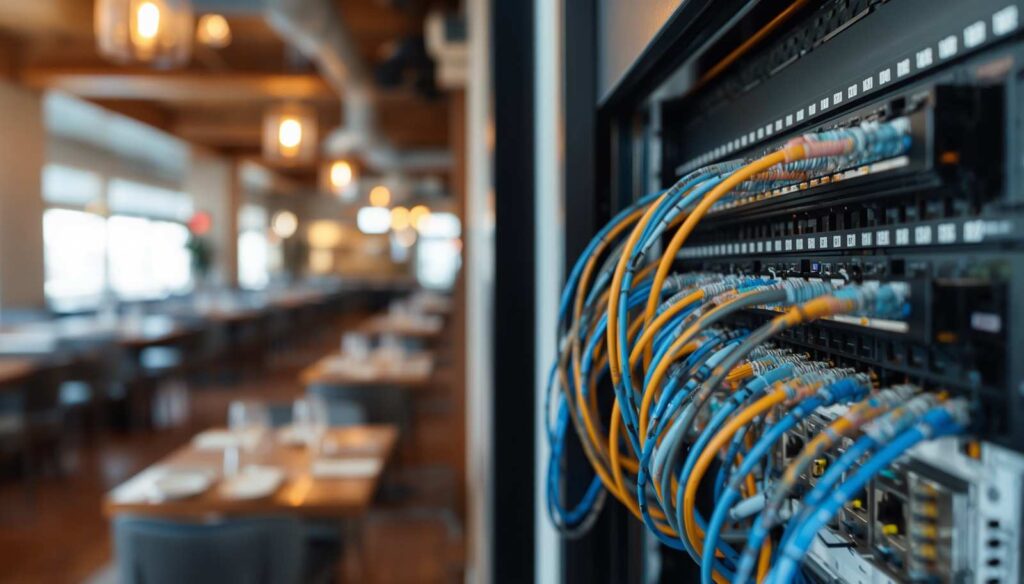
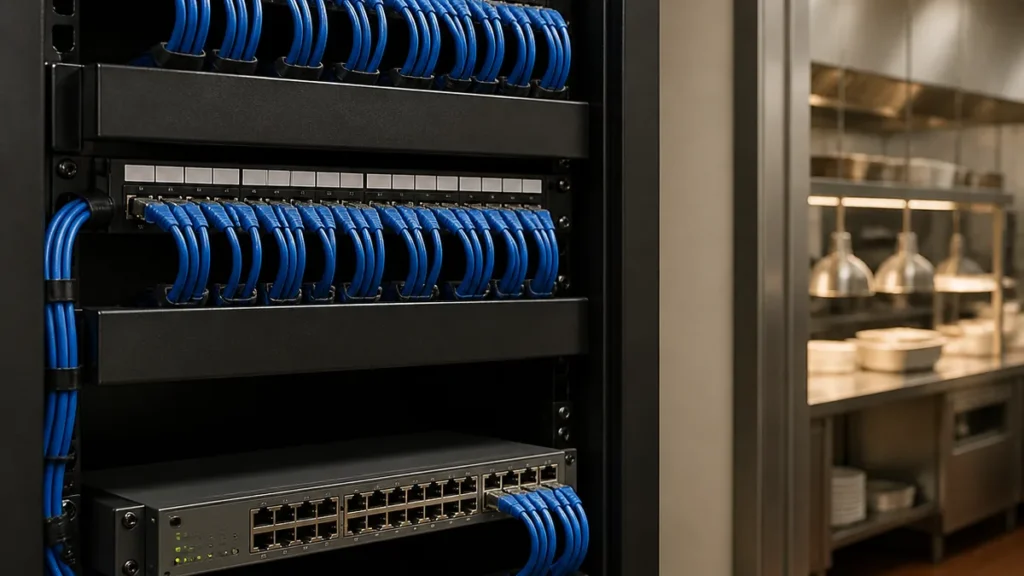
Technician organizing color-coded network cables on a patch panel in a commercial equipment rack
Blog, Network Cabling

Network Cabling Cost Houston: What Drives It

If you’ve started collecting quotes for a cabling project, you’ve probably noticed the numbers don’t line up. One contractor’s bid is half of another’s for what sounds like the same job. That’s the most common question we get from restaurant, office, and retail owners across Houston: what should this actually cost, and why do the quotes look so different? The honest answer is that network cabling cost Houston depends on a handful of specific variables, and once you know what they are, you can read any bid and tell whether it actually matches your building. This isn’t a pricing sheet. We’re not going to throw out a per-drop number, because anyone who does that without seeing your space is guessing. Instead, we’re going to walk through what actually moves the needle on a quote, so when three bids land on your desk, you know which one reflects the real scope of your job. What Actually Drives Network Cabling Cost Houston Every cabling quote is built from the same handful of ingredients. How much of each ingredient you need is what separates a small office buildout from a full restaurant rewire. Here’s the short list: number of drops, cable run length, ceiling and pathway type, whether it’s new construction or a retrofit, Cat6 versus Cat6A, how much termination and rack work is involved, testing and certification, and whether the crew has to work around your operating hours. Change any one of those and the number moves. Change three or four of them and it can move a lot. Number of Drops and How Cost Scales A “drop” is one cable run from your equipment room to one device location, a POS terminal, an access point, a camera, a printer. The more drops, the more labor and material, which sounds obvious, but the scaling isn’t always linear. The first ten drops in a building usually cost more per drop than the next twenty, because you’re paying for the equipment room setup, the initial pathway work, and the crew’s time getting oriented in the space regardless of count. A restaurant with a bar terminal, host stand, four server stations, kitchen printers, and several access points can easily need 15 to 25 drops before you’ve even counted cameras. An office with a handful of workstations might need far fewer. If a quote’s drop count doesn’t match your actual layout, that’s the first thing to double-check. Cable Run Length and Building Layout Distance costs money, both in cable itself and in labor to route it cleanly. A single-story restaurant with the equipment rack centrally located is a much easier pull than a long, narrow retail space where the rack sits at one end and the last drop is 150 feet away. Ceiling height matters too. A tall, open ceiling with exposed structure is often faster to work in than a finished drop ceiling that has to come apart tile by tile. Layout is also why a walkthrough matters before you get a real number. Nobody can price cable runs off a floor plan alone. New Build vs. Retrofit: Conduit and Pathway Access This is one of the biggest cost swings in the whole project. In new construction, before walls close and ceilings finish out, a cabling crew can run everything through open framing with clean, direct paths. That’s the cheapest environment to work in. A retrofit in an occupied building is a different story. Cable might need to route through existing conduit, around HVAC and plumbing that’s already in place, or through finished walls that require patching afterward. If your building has strict fire-rating requirements for penetrations through rated walls, that adds labor too. None of this means retrofit work is unreasonable, it’s just a different job than new construction, and a quote should reflect which one you’re actually getting. Cat6 vs Cat6A: The Spec Choice That Changes the Number We covered this in detail in our Cat6 vs Cat6A guide, but the short version matters here too. Cat6A costs more per foot than Cat6, the cable itself is thicker and stiffer, and it’s slower to terminate cleanly. For a lot of Houston restaurants and offices, Cat6 handles everything they run without issue. Cat6A earns its keep on long cable runs or in buildings planning for heavier network loads down the road. Neither choice is wrong, but it should be a decision you make on purpose, not something buried in a quote you didn’t ask about. Terminations, Patch Panels, and Rack Work Every cable has two ends, and both ends need to be terminated correctly to a jack or a patch panel. That labor adds up, especially on a project with a lot of drops. Then there’s the equipment room itself: the rack, the patch panels, cable management, and how neatly everything is labeled and organized. A tidy, well-documented rack costs a little more upfront and saves you real money the first time something needs to be traced or expanded. A rat’s nest of unlabeled cable might save an hour on install day and cost you hours the next time anyone needs to troubleshoot it. Testing and Certification Aren’t Optional Line Items Every run should get tested for continuity, length, and performance before anyone calls the job finished. This is where a low bid sometimes cuts corners nobody notices until later. Skipping proper testing doesn’t show up as a problem on day one. It shows up three months later as an intermittent dropout that takes hours to trace, because nobody has documentation proving which cable is actually bad. Ask any bidder point blank whether testing and certification are included, and get it in writing. After-Hours and Occupied-Space Work If you’re running a live restaurant or a retail location that can’t shut down during install, expect the quote to reflect that. Crews working nights or around your operating hours take longer to complete the same amount of work, and that labor premium is legitimate, not padding. It’s also exactly the kind of line item that lets

Restaurant network cabling installation in Houston with color-coded cables and dining room in background
Blog, Network Cabling

Restaurant Network Cabling in Houston: What Every Owner Should Know

When it comes to restaurant network cabling in Houston, the trouble usually shows up on your busiest Friday. Dining room packed, a line out the door, four tickets deep on the kitchen screen. A server goes to close a check and the card reader just… hangs. Then another. Now the front of house is stalled, tables aren’t turning, and the manager is on hold with support while the wait times climb. Here’s the part most owners don’t realize until it happens to them: that mess almost never starts at the terminal. It starts in the wiring behind the wall, the stuff nobody thinks about because you can’t see it. In a restaurant, that low-voltage cabling is quietly carrying your payments, your kitchen tickets, your WiFi, your music, and your cameras all at once. Do it right and you’ll forget it exists. Do it cheap and it’ll pick the worst possible night to remind you. So let’s talk about what restaurant cabling actually involves, why it’s a different job than wiring an office, and what separates an install you can trust from one you’ll be redoing in a year. Restaurant Network Cabling in Houston Is a Rough Job An office is easy. Desks don’t move, the air is cool and dry, and if someone’s connection drops they reboot and get back to their spreadsheet. A restaurant gives cable a much harder life. Think about where the runs actually go. Over the line, where it’s hot and greasy. Near the dish pit, where there’s steam and spray. Through ceilings that also have to satisfy the health inspector and the fire marshal. And it all has to survive a payment system that cannot afford to blink during a 200-cover dinner rush. A dropped connection here isn’t an annoyance. It’s lost sales, blown table turns, and a guest deciding they won’t be back. There’s one more thing people miss. In a restaurant, everything shares the same nervous system. Your POS terminals, kitchen display screens, receipt and kitchen printers, card readers, access points, background music, security cameras, they all lean on the same low-voltage backbone. So when the cabling has a weak spot, it doesn’t fail in one tidy place. It shows up as a dozen little gremlins across every system, and good luck figuring out which cable is the culprit at 8 p.m. on a Saturday. That’s exactly why real structured commercial cabling matters more in a restaurant than in almost any other kind of business. The Thing Toast Won’t Tell You Up Front Here’s something worth knowing before you sign your Toast contract. Toast will handle a lot, but their installers draw a hard line at the cabling. Per Toast’s own network requirements, their techs won’t run cable more than about ten feet, won’t go through walls, and won’t touch crawl spaces or open ceiling areas, because building codes for that kind of work vary and it’s not their job. Read that again, because it matters. The cabling between your equipment room and every terminal, printer, and access point in the building? That’s on you to sort out before install day. Show up without it and you’re looking at delays, or worse, a rushed cable job done by whoever’s cheapest. Toast is also pretty specific about how they want the network built. They want the POS on its own separate VLAN, walled off from guest WiFi and everything else, so a full dining room streaming video never bogs down your terminals. They want Cat5e or better, terminated to the proper standard. And they want handhelds on the 5GHz band, because 2.4GHz is a traffic jam of phones and kitchen equipment all fighting for the same air. None of that happens by accident. Somebody has to plan it and build it, and that somebody is a cabling contractor, not the Toast rep. Four Systems, One Backbone When people say “the network,” they usually just mean WiFi. But in a restaurant the cabling is doing a lot more heavy lifting than getting guests online. Your Toast POS is the big one. Terminals, card readers, receipt printers, kitchen printers, they all run best hardwired, not on WiFi. A proper install puts a dedicated drop at every station: the bar, the host stand, each server terminal, the kitchen. Nothing important should have to fight its way across the room on a wireless signal. Then there’s the WiFi itself. Guest WiFi and back-of-house WiFi should never share a lane. You want commercial business WiFi with access points placed to actually cover the floor, no dead zone at corner booth number six, and the guest traffic kept separate so a busy dining room streaming isn’t slowing down your handhelds. And every one of those access points is only as good as the cable feeding it. Bad drop, bad WiFi. Simple as that. Audio is easy to overlook until it’s wrong. Nothing sours the mood like music that crackles, jumps in volume between the patio and the bar, or comes with a rat’s nest of speaker wire in plain sight. A clean commercial audio setup gets wired into the same plan as everything else so each space sounds the way it should. And don’t forget the rest of it. Cameras, phones, whatever comes next. Pull those cables while the ceiling is open and the walls are still apart. Skip it now and you’ll be paying someone to cut into a finished ceiling later to add a run you should’ve planned for. What Cheap Cabling Really Costs The thing about a bad cable job is that it looks fine on day one. It passes the eyeball test, everything powers on, and then it falls apart the moment you get busy. A wire crimped in the wrong order gives you a terminal that’s slow or just dead. Access points slapped up wherever they fit instead of where they belong leave you with dead zones right where you seat your best tables. Cables run alongside power lines pick up interference that quietly drags everything down. And when nothing’s labeled and nobody documented

Commercial Cabling Houston solutions for restaurants, offices, and retail businesses. We deliver clean, reliable network cabling, WiFi infrastructure, POS wiring, and low-voltage installations built for performance, safety, and long-term reliability.

© 2026 ARCTAN ENGINEERING — All Rights Reserved. Design by SEO IMPACT PROS.

Scroll to Top