Good restaurant WiFi Houston guests can join in two taps is the easy part. Anyone can write a password on a chalkboard. The hard part is everything behind it: the handhelds your servers carry, the kitchen screens, the card readers, and the delivery tablets chirping at the host stand, all sharing the air with a dining room full of phones. Built like a home network, that setup works fine on a Tuesday afternoon and falls apart at 7:30 on a Saturday. So this isn’t another piece about why WiFi matters. It’s about what to ask for when you’re getting your restaurant set up.
Two Networks, Not One Network With a Second Password
The most common problem we walk into is a restaurant running guests and staff on the same network. Sometimes there are two network names, but underneath they share the same pipe and the same address space. That isn’t separation. It’s just a second password.
When guest and staff traffic share a network, two things go wrong. The first is performance. A table streaming a game, a teenager uploading videos, and a laptop grabbing a software update are all competing with the ticket your server just fired to the kitchen. The second is security. A guest phone that can see your POS terminals can also poke at them. The FTC’s small business cybersecurity guidance is direct about this: customer WiFi should be kept separate from your business network and not connected to it.
Real separation means VLANs, which are virtual lanes your network equipment keeps apart, with firewall rules between them. You want at least three: guest, staff, and a dedicated POS network. Toast’s network requirements call for exactly that, with nothing but Toast equipment on the POS VLAN. It’s the foundation of every Toast POS network setup we do, and we covered the wiring side in our restaurant network cabling guide.
One detail most people miss is client isolation. The guest network should have it turned on, so phones can’t talk to each other. Toast wants it turned off on the POS network, so terminals, printers, and kitchen displays can find each other. It’s the same feature with opposite settings, and a consumer router usually gives you one switch for both.
Where the Access Points Go
Most restaurants have four zones with very different needs, and one router in the office can’t serve any of them well.
The dining room is about density. You’re covering a lot of bodies, and people absorb signal surprisingly well. Several ceiling-mounted access points spread across the room will beat one powerful unit in a corner every time. Toast asks for signal no weaker than -65 dBm anywhere handhelds are used, and a packed dining room is where that number tends to slip.
The bar is the busiest square footage you have. It has bartenders, a POS station, a handheld or two, and guests who stay longer and stream more. It usually earns its own access point.
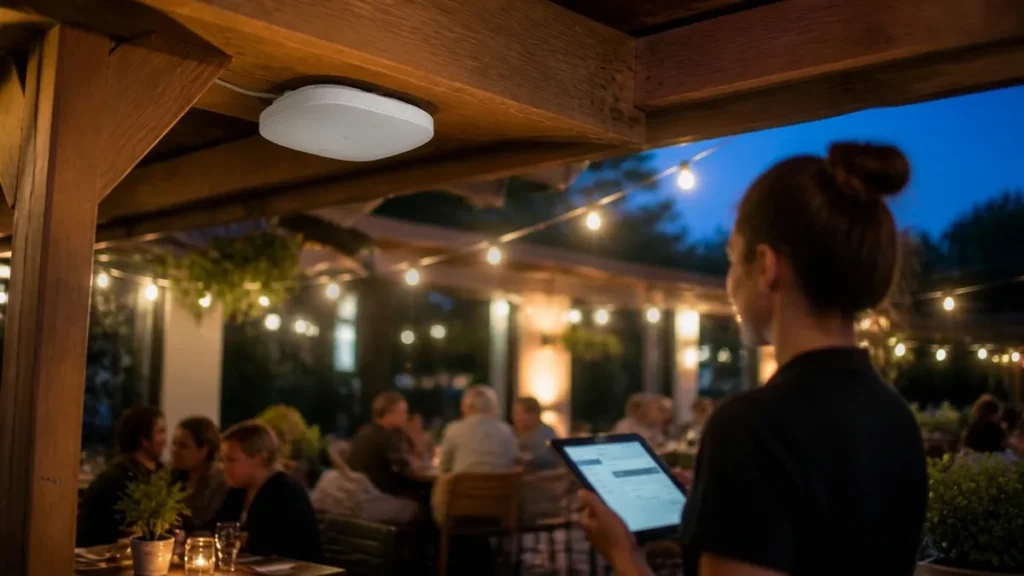
The patio is where Houston makes things interesting. Exterior walls and glass knock signal down hard, so covering a patio from indoors rarely works. You want an outdoor-rated access point that can take heat, humidity, and sideways rain, mounted under cover and fed by a cable run that was planned for it.
The kitchen is the toughest room in the building, which brings us to interference.
Interference Restaurant WiFi Houston Buildouts Run Into
A commercial kitchen might as well be designed to block radio signals. Stainless prep tables, hoods, and metal shelving bounce signal in unpredictable directions. Walk-in coolers are insulated metal boxes, so a kitchen display on the far side of one may as well be across the street. Microwaves operate in the same 2.4 GHz range as WiFi and can swamp nearby signals while they run. Toast specifically tells installers to keep access points away from microwaves, speakers, motors, and refrigeration.
The building matters too. Plenty of Houston restaurants live in spaces that weren’t built for them: converted Heights bungalows, brick warehouses in EaDo, and strip center units with a neighbor’s network on each side. Brick, concrete, and old plaster all eat signal.
In a strip center, the 2.4 GHz band is usually jammed. It only has three channels that don’t overlap, and every business around you is fighting over them. That’s why Toast wants handhelds on 5 GHz, and why guest phones should be steered there too.
None of this shows up on a floor plan. It shows up when someone walks the space with survey equipment before deciding where to mount anything.
How Many Devices Are We Talking About?
Owners almost always undercount. Picture a 120-seat restaurant. Before a single guest connects, it has:
- four to six POS terminals and several handhelds
- two or three kitchen displays, plus printers and card readers
- a back-office computer and a couple of delivery tablets
- cameras, the music system, and a smart thermostat
- staff phones
That’s easily 40 devices. On a full night, a good share of the dining room joins the WiFi too, many guests with more than one device, and you can end up well past 100 connections.
Bandwidth planning works backward from that peak. Toast recommends at least 15 Mbps down and 5 Mbps up set aside for the POS alone. Your internet plan has to cover that plus everything else at your busiest hour, not your average one.
Upload speed is the number people forget. Cameras streaming offsite and incoming online orders both lean on it, and many budget business plans are thin there. Your equipment also needs quality-of-service rules, so POS traffic always goes first when things get crowded.
When the WiFi Goes Down, So Does the POS
When the network drops in a modern restaurant, you lose more than guest WiFi. You lose handhelds, kitchen tickets, and possibly card processing. Toast has an offline mode, and it’s a useful safety net, but it has limits and you don’t want to run a Saturday on it.
A few things add up to restaurant WiFi Houston storm season can’t easily knock offline:
- Battery backup. A UPS on the network rack rides through the power flickers every summer storm brings, the same flickers that scramble consumer routers.
- Backup internet. A second connection, often cellular, can take over automatically when your main line goes down.
- Hardwiring. Fixed terminals, printers, and kitchen displays should be on cable, which leaves the WiFi for devices that actually move.
That cabling should be the right spec from day one. Our Cat6 vs. Cat6A breakdown explains which fits your building, and it’s the core of our structured cabling work.
Managed WiFi vs. the Big Box Store Router
Consumer routers and mesh kits are built for houses. They aren’t bad products, just the wrong tool. Most can’t run proper VLANs, can’t show you what went wrong during last night’s rush, and can’t be fixed without someone standing next to them. A lot of them end up on a shelf next to the ice machine, which is about the worst spot in the building.
Managed platforms like TP-Link Omada and Ubiquiti UniFi are what we install for business WiFi. The reason is simple: a restaurant WiFi Houston servers depend on can’t wait for someone to drive over and reboot a box. Here’s what changes with a managed system:
- Every access point runs from one dashboard.
- Separate networks, band steering, and speed limits are ordinary settings rather than workarounds.
- Access points get power and data over a single Cat6 cable, so they go where coverage is needed instead of where an outlet happens to be.
- Firmware updates roll out centrally.
- When something acts up, a technician can often spot it and fix it remotely before your manager finishes the phone call.
Guest Features Worth Having
A good guest network does more than hand out internet. Here’s what to ask for:
- A splash page. This is the screen guests see before connecting. It shows your logo and terms of use, and it can collect emails for your marketing list if you want it to.
- Session time limits. These keep someone from camping on your WiFi all afternoon while holding a four-top.
- Per-device speed caps. These stop one guest from hogging the connection. A few megabits each is plenty for browsing and social media.
- Scheduling. This shuts guest WiFi off after close, so it isn’t an open door overnight.
Anything else on the network, like your music system, belongs on the staff side where guest phones can’t find it. That’s how our commercial audio installs are configured.
A Restaurant WiFi Houston Checklist: What to Ask For
When you’re comparing contractors, these questions separate a real plan from a router drop-off:
- Will you survey the space before choosing access point locations?
- How will guest, staff, and POS traffic be separated?
- What platform are you installing, and who can manage it?
- How will the patio and kitchen be covered?
- Are battery backup and failover internet part of the plan?
- Who do I call when something breaks mid-service?
Vague answers usually mean a vague install. For a sense of what drives the price on this kind of work, see our network cabling cost guide.
No. Guest traffic should be on its own VLAN with firewall rules separating it from staff devices and the POS. Toast requires its equipment on a dedicated network, and the separation protects both speed and security during busy service.
It depends on square footage, walls, and layout. Many restaurants need separate coverage for the dining room, bar, patio, and kitchen. A site survey decides the count and placement, so you aren’t guessing.
Stainless steel surfaces, walk-in coolers, and running microwaves all weaken or disrupt WiFi signals. Placing access points away from those sources, and hardwiring fixed kitchen displays and printers, usually solves the problem.
For a business, yes. Managed platforms like Omada and UniFi support separate VLANs, central monitoring, guest controls, and remote troubleshooting. Most consumer mesh systems can’t do those things.
Toast recommends at least 15 Mbps down and 5 Mbps up set aside for the POS alone. On top of that, plan for guests, cameras, and online orders at your busiest hour, and pay close attention to upload speed.
Toast has an offline mode, but it has limits. A battery backup on the network rack, a backup internet connection, and hardwiring fixed equipment keep you running through most outages.
Yes. Managed guest networks support session time limits, per-device speed caps, splash pages, and schedules that turn guest WiFi off after closing.
Talk to a Licensed PE Before You Buy Hardware
Arctan Engineering is led by a licensed Professional Engineer with more than 17 years in low-voltage and commercial cabling, and restaurants are a big part of what we do. Learn more about our team, or schedule a site survey and let’s build restaurant WiFi Houston guests don’t complain about and your staff never has to think about.